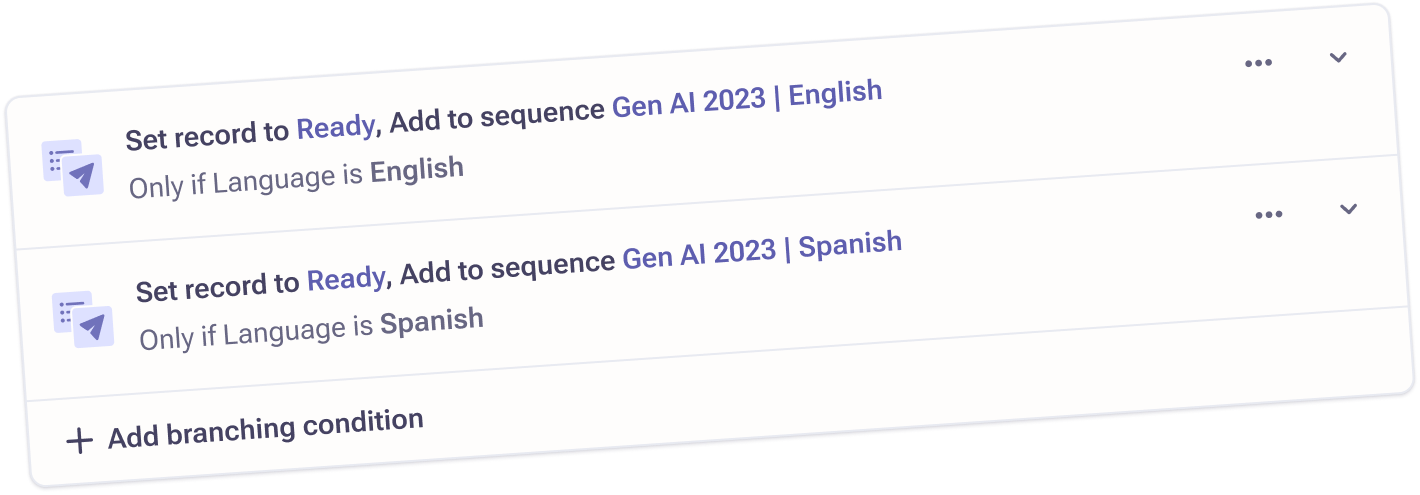
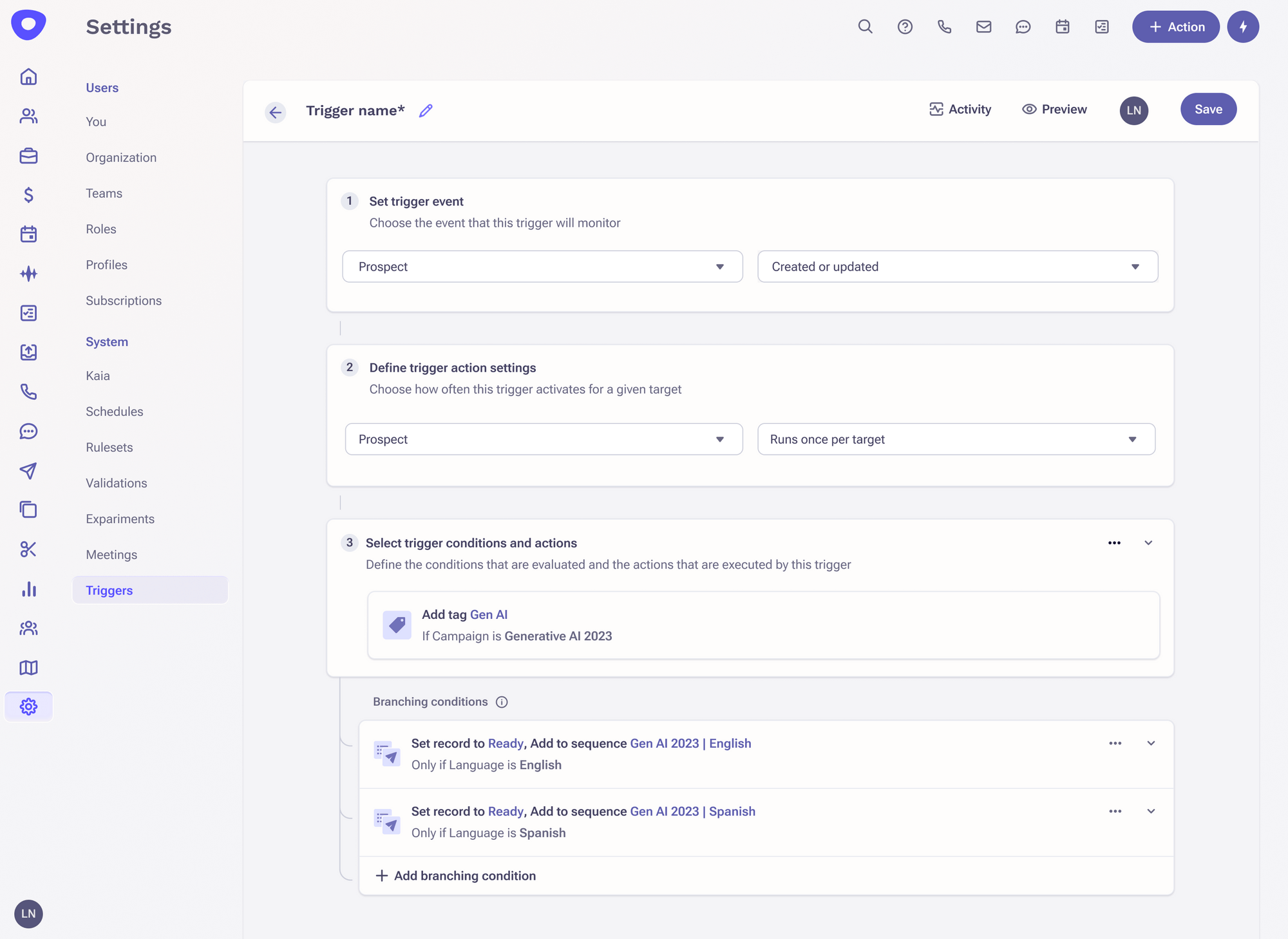
Branching conditions
Making automation-building more streamlined by helping admins consolidate related triggers.
Overview
Helping admins automate repetitive tasks more efficiently.
Within sales orgs, there are many manual processes that sales reps have to juggle. Sometimes, an important step will slip through the cracks, which can have negative downstream effects for the entire sales team. Outreach.io offers a tool, called Triggers, that allows admins to automate these repetitive tasks through building automation rules. This assures that steps will not be forgotten and also allows sales reps to focus more on the important tasks that close deals.
Problem space
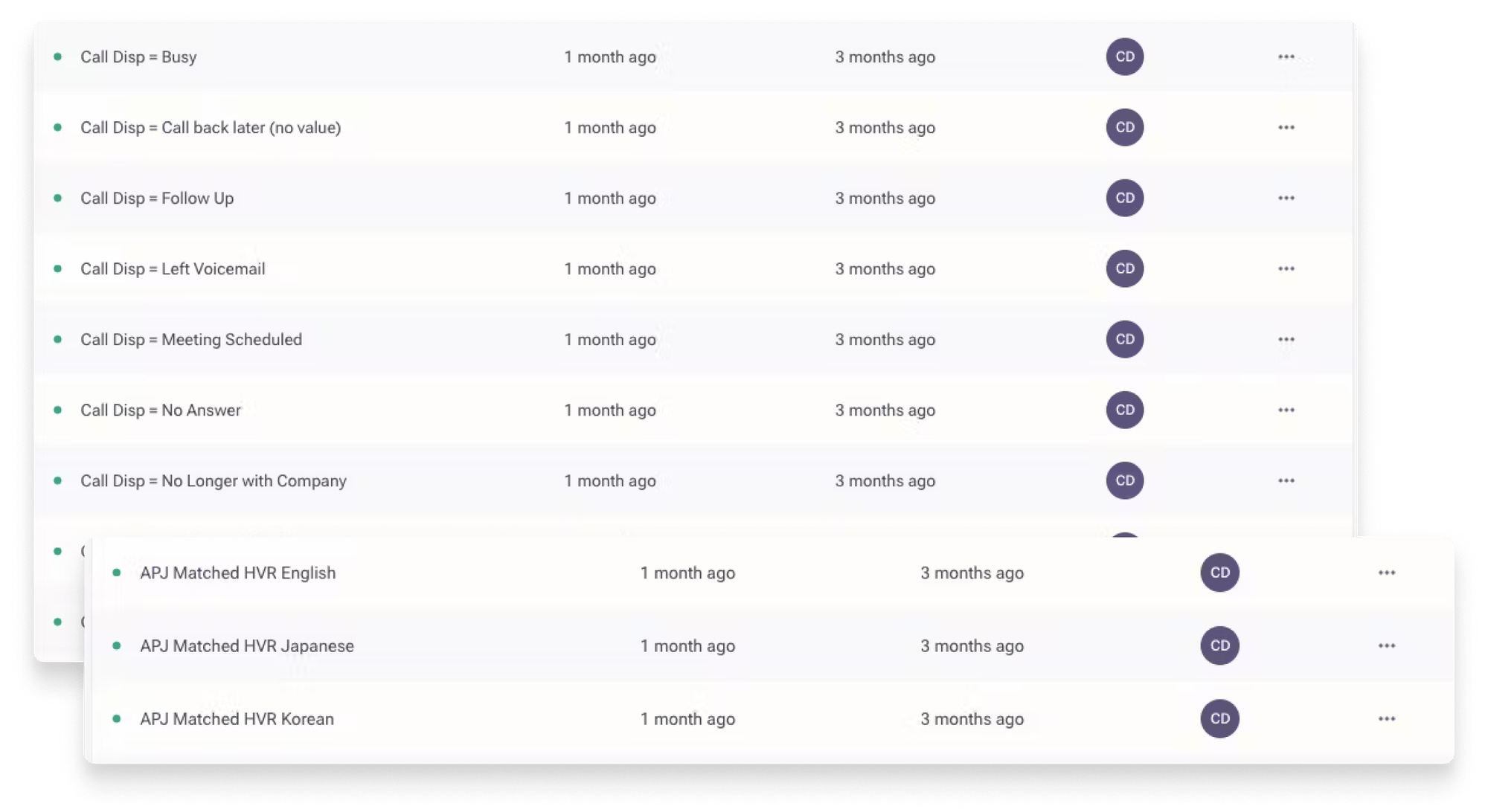
Duplicative triggers
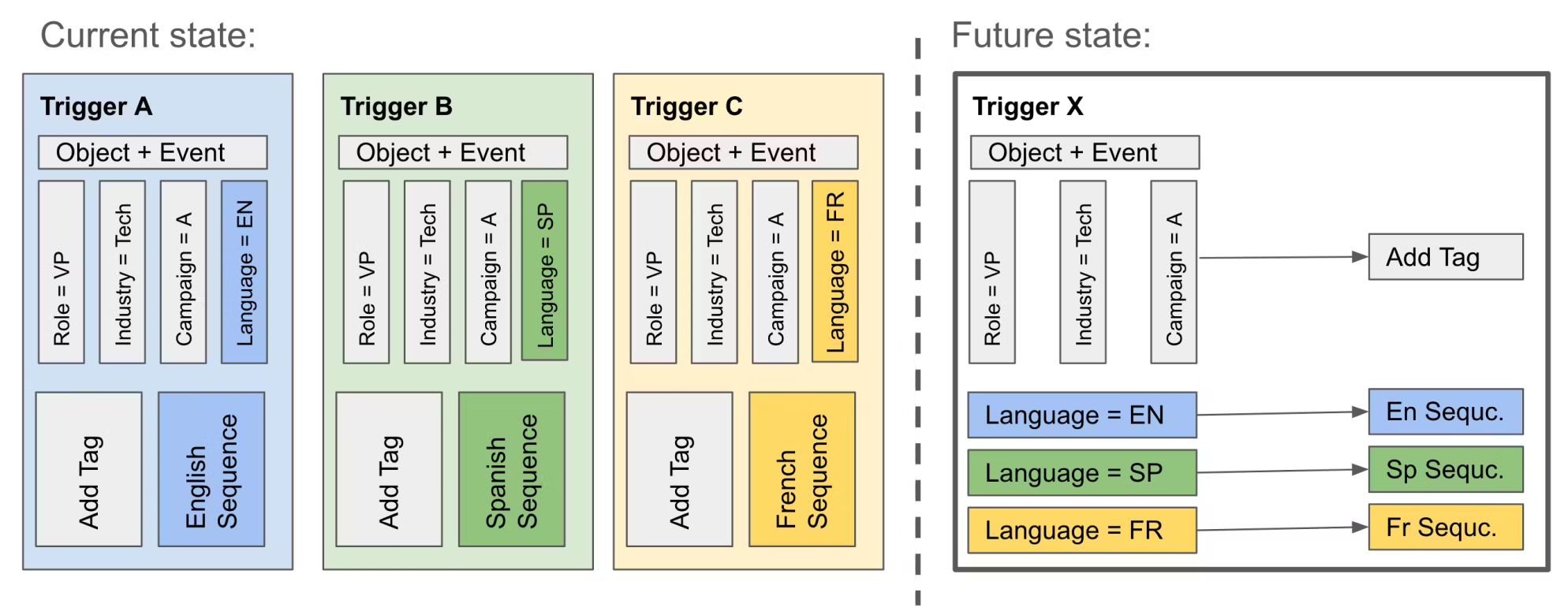
Admins have many triggers that are exact copies of each other except for one or two conditions. This results in very long lists of triggers that make it difficult for admins to track, update, or debug issues. The behavior of creating duplicative triggers is due to one-off conditions that determine segment-specific actions, such as:
- • Tagging customer details based on a meeting's outcome
- • Putting prospective customers into language or region-specific campaigns
- • Assigning prospective customers to specific sales teams
Design goals
Three main design goals
Discovery
Defining what trigger consolidation entails
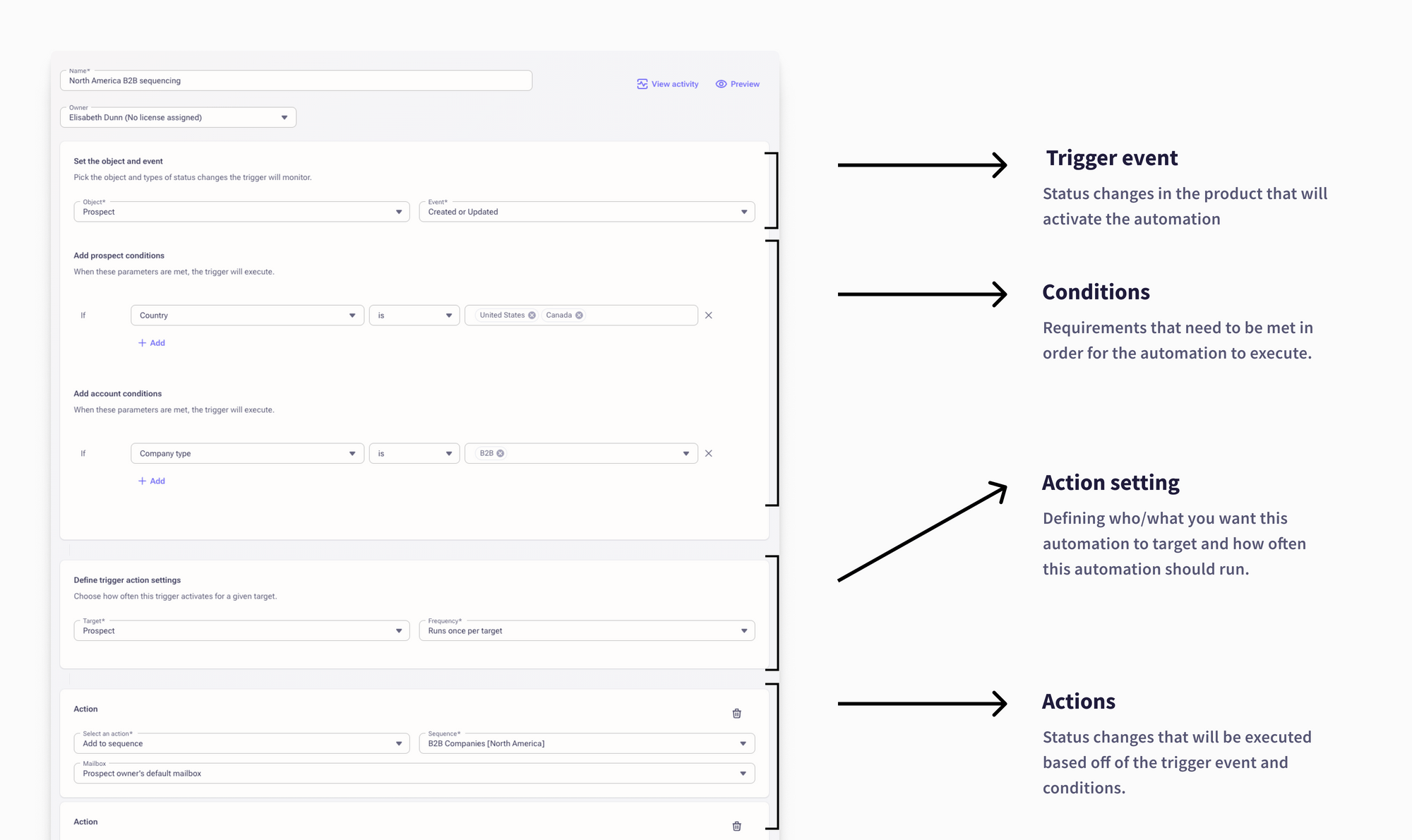
Today, our trigger builder requires you to define the overarching conditions needed for automated actions to activate. Our approach for consolidating triggers was to introduce the concept of branching conditions: allowing you to define additional conditions needed for certain actions to activate.
Discovering admins' mental models when building automations
We did a discovery round of research with 6 of our current customers, learning about how triggers are built at their organizations today. We also walked our customers through a cognitive mapping exercise.
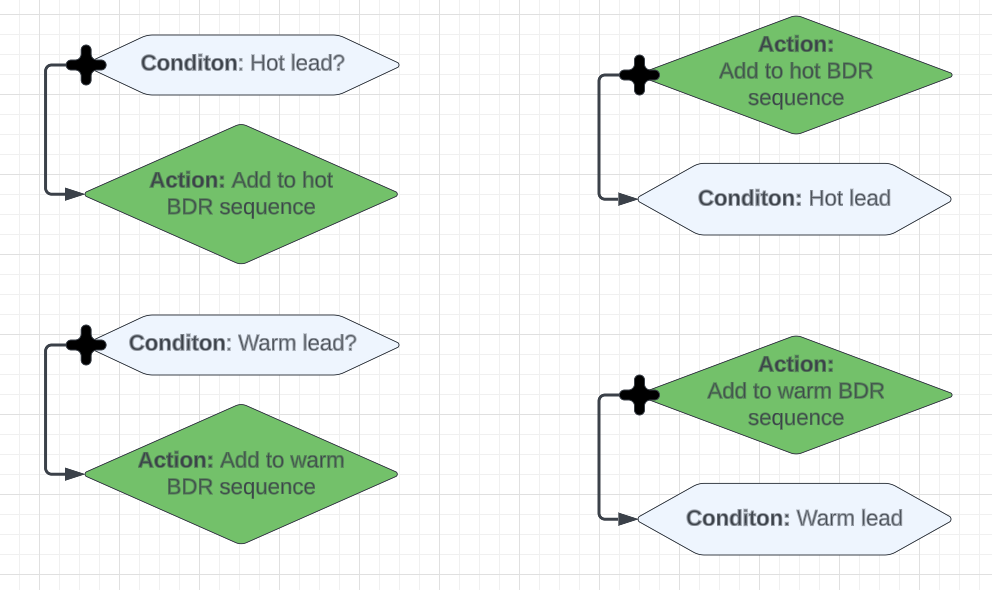
Doing it in reverse (defining actions and then defining conditions) took longer for users to work through.
However, with how our trigger builder was currently built, users would have to define the branching action first before defining the branching condition. Moving forward, we needed to understand which path would be less disruptive to users:
- • Drastically changing the way triggers are built in order to match expectations
- • Or, adding new functionality to a familiar-but-counterintuitive way of trigger-building
Exploring options
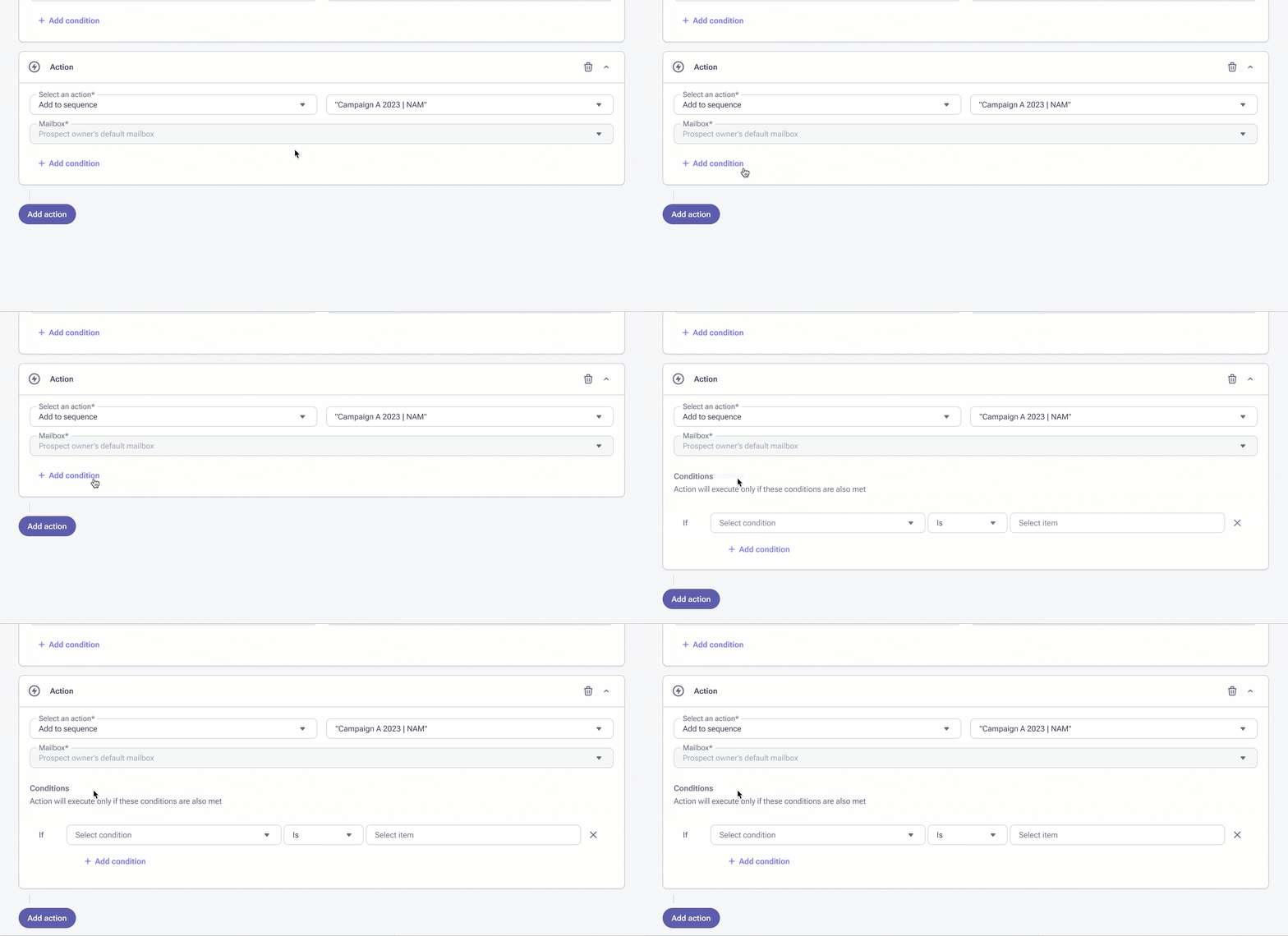
First version
This exploration attempted to keep today's UI as intact as possible, which resulted in allowing users to attach conditions after they create an action.
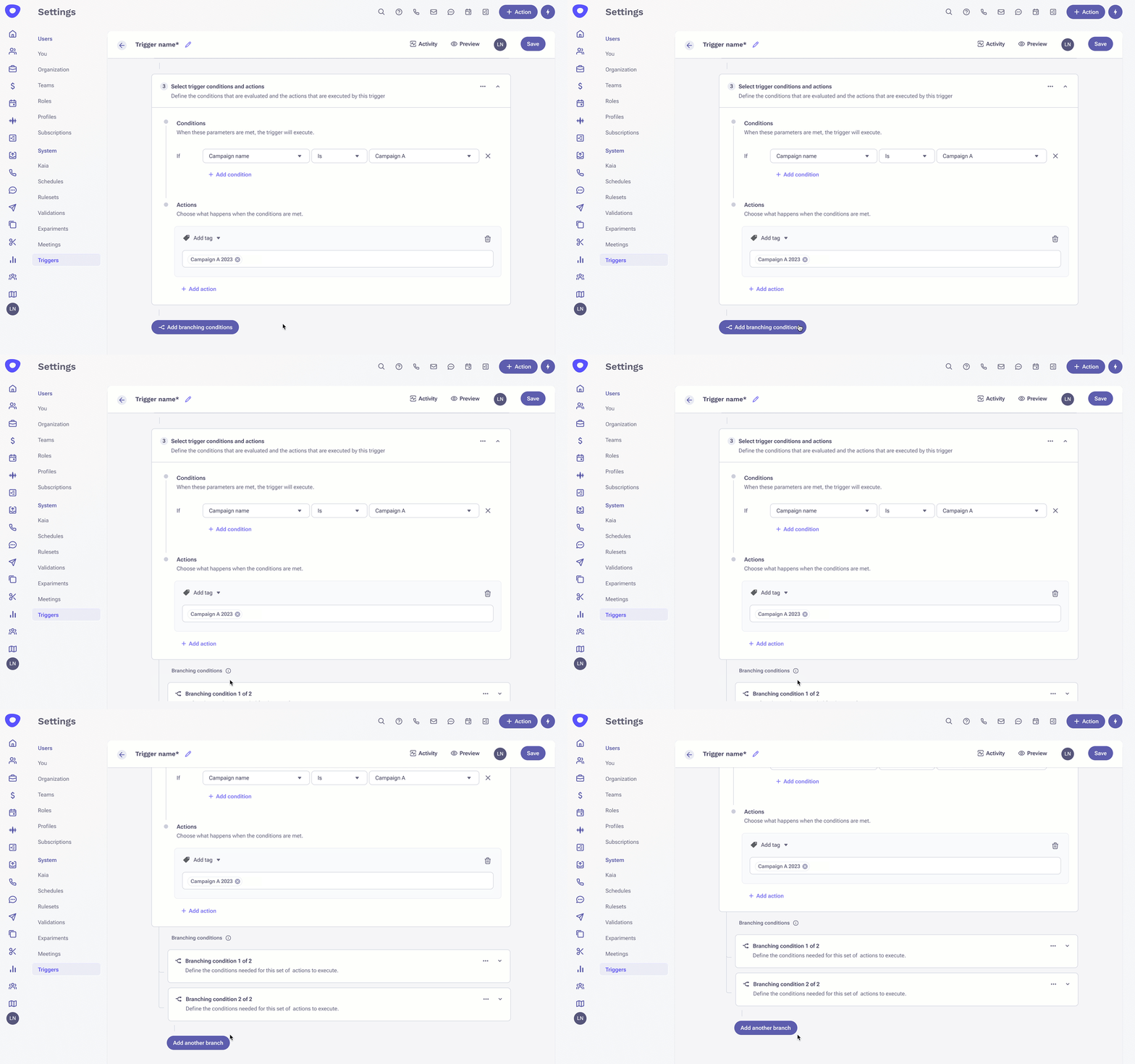
Second version
This exploration took into account users' trigger-building mental models by creating a clear input-output visual between Conditions and Actions. I also communicated the concept of branching via indentation and connection lines.
Merging all condition types underneath one list
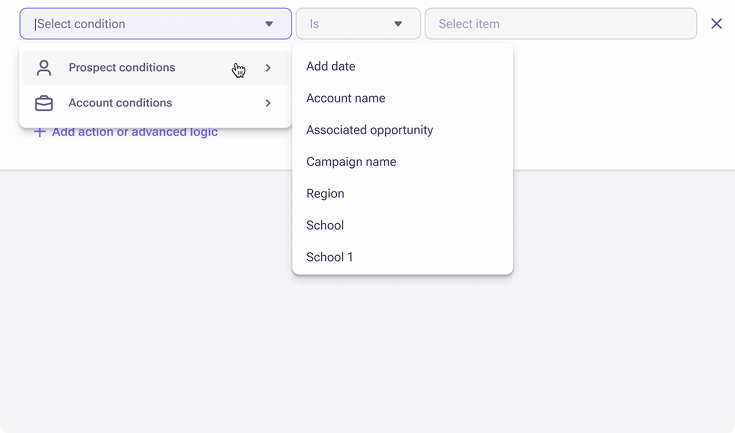
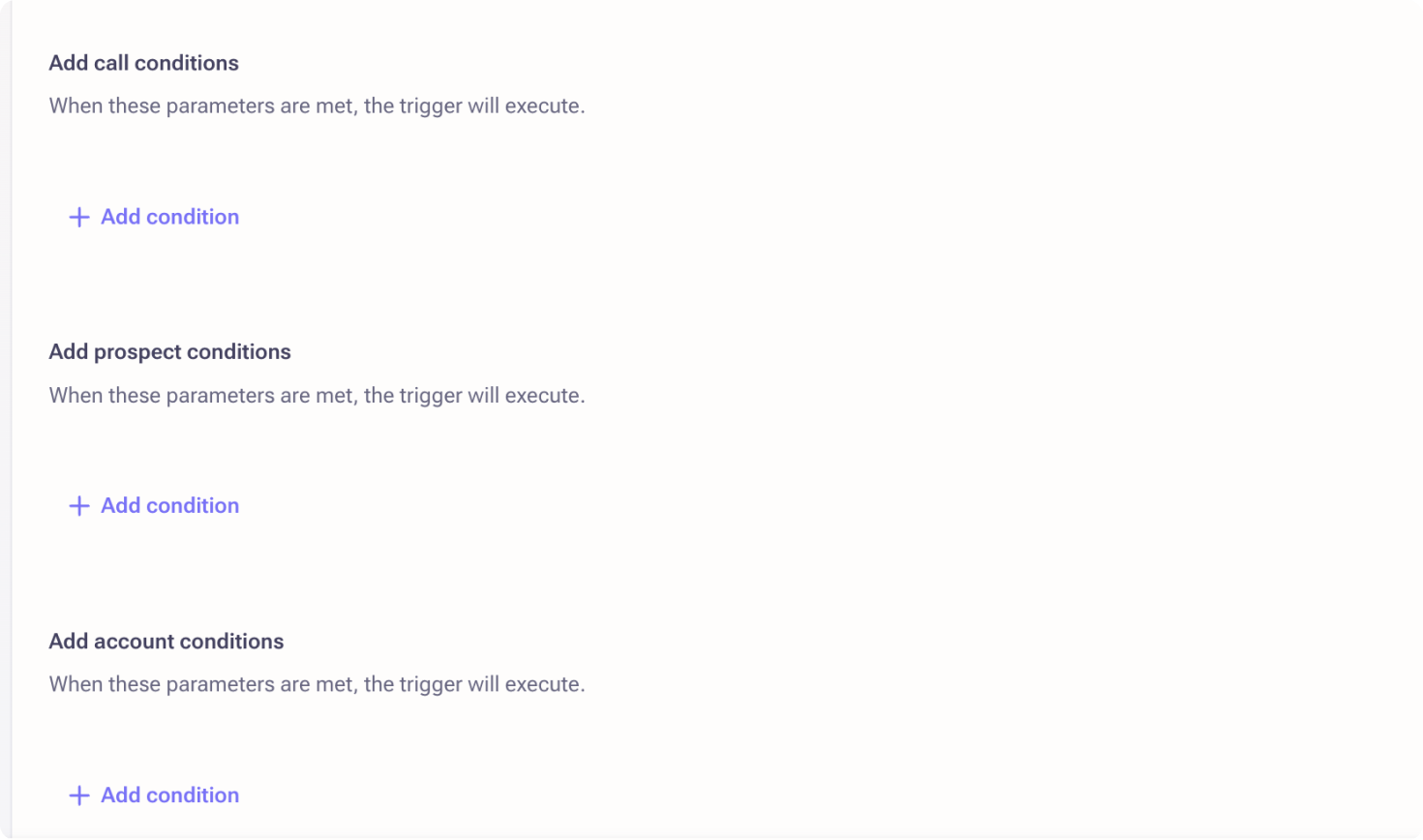
Another issue surfaced during the first iteration: conditions were split into multiple sections by type, forcing users to scan 2–3 separate menus to find the right option. This was both time-consuming and vertically heavy—problems that would only compound when supporting multiple condition sets.
To streamline trigger creation, we explored unifying all condition types into a single list. We ultimately moved forward with a context-menu approach, which minimizes clicks and allows users to view more options at once.
Testing
Main insights from prototype testing
We conducted comparative usability testing with the same 6 customers and 2 additional customers. I was fully expecting users to find Version 1 easier to build. However…
Implementing feedback
Refining the designs
Nonetheless, Version 2, while more successful and preferred, was not perfect. We still wanted to address why some were struggling with this version and take into account the feedback we got from customers. For this reason, we wanted to:
Cut down on repetitive copy
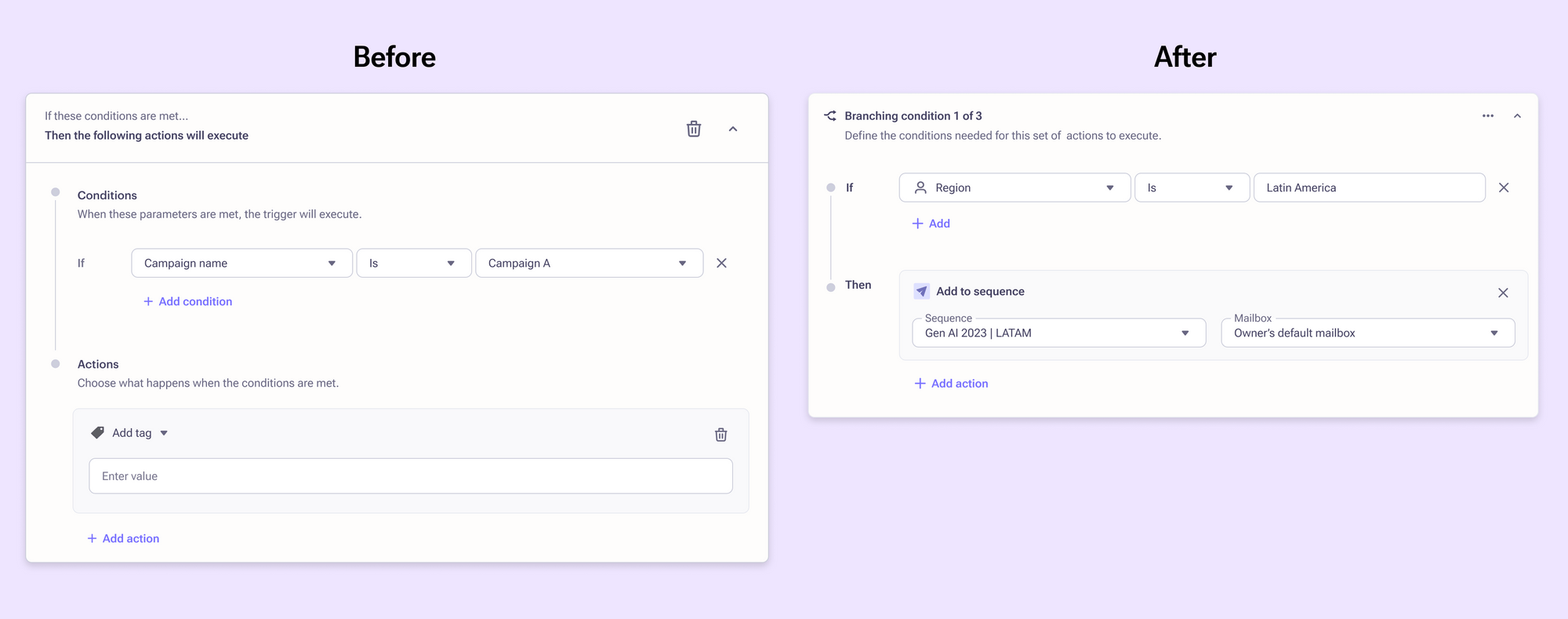
In order to reduce cognitive load, I focused on removing the long explanations of conditions and actions in each section and replaced them with simple If/Then labeling.
Reduce unnecessary padding
These triggers can get quite lengthy and require a lot of scrolling. In order to make the experience tighter, I reduced the padding and tweaked the spacing between elements.
Allow for duplication of branching actions
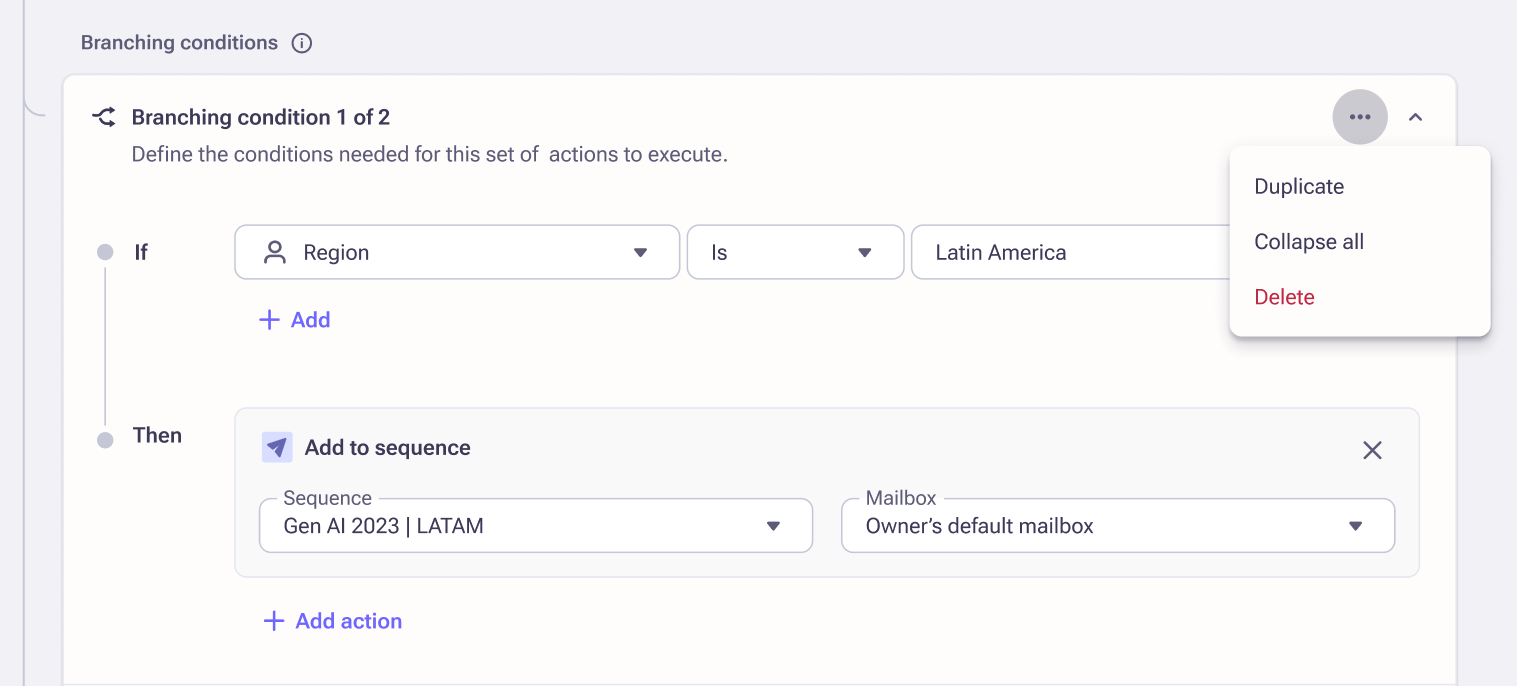
We learned that some customers can have upwards of 20 branching actions with this new framework. In order to make building so many branches easier, we added the ability to duplicate. This reduces the number of clicks from 12 to 6 per branching action.
Collapsible sections
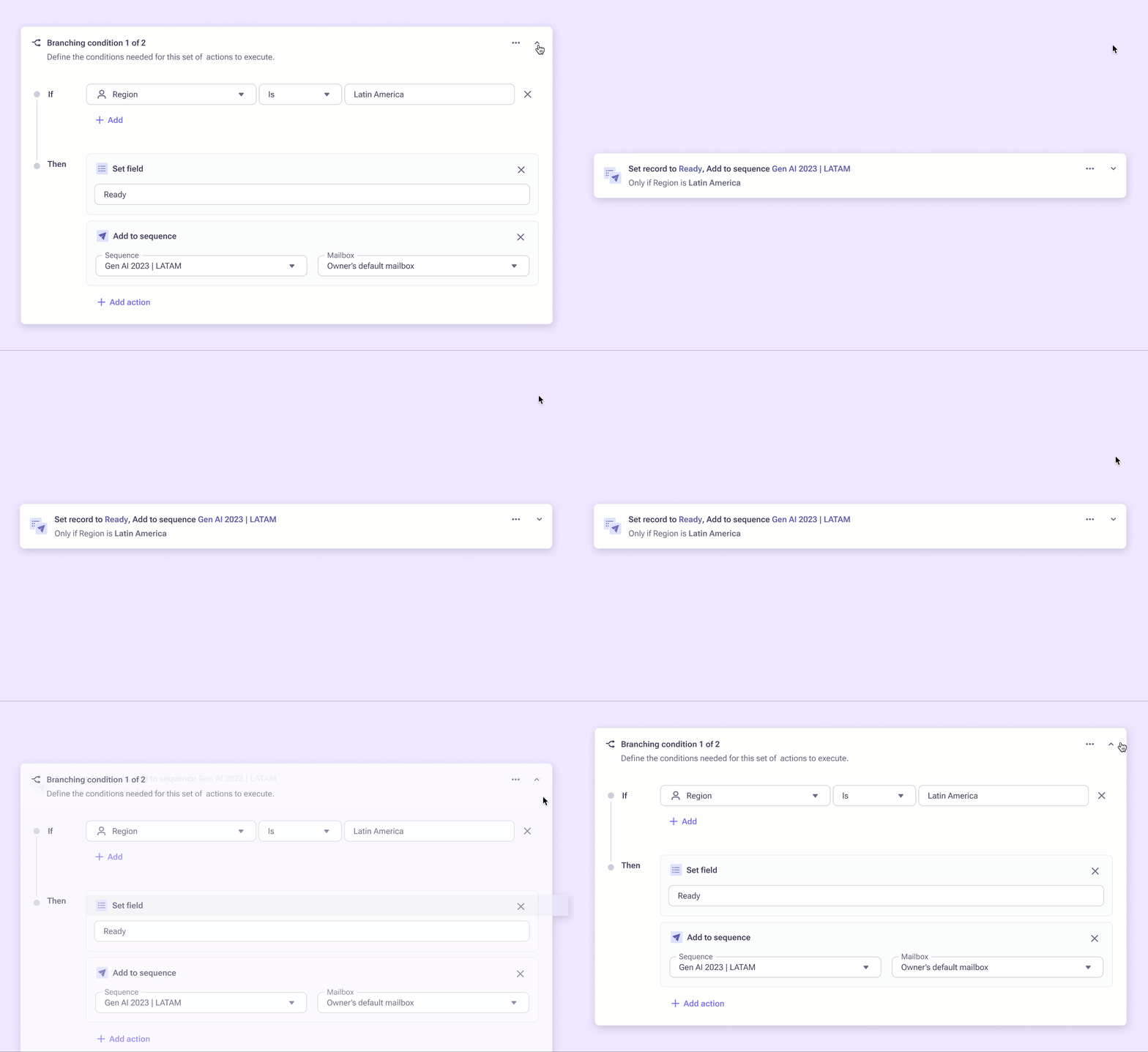
For similar reasons of allowing for duplication and wanting to reduce padding, we also introduced collapsing sections for easier scanning. Collapsing translates the inputted conditions and actions into readable sentences, so that admins can quickly find a section they need to update.
Final design
Streamlined trigger-building experience
The final design successfully addresses the problem of duplicative triggers by allowing admins to consolidate related triggers into a single, manageable trigger with branching conditions. The clear visual relationship between conditions and actions, combined with streamlined interactions, makes it easier for admins to build and maintain their automation rules.
Results
What's next?
We have recently shipped a beta version of this feature. We'll be using this to gather further feedback on how to improve the experience before making it generally available. Since it is common for admins to create new triggers at the start/end of a fiscal quarter, we will be tracking the overall usage and adoption of branching actions for newly built triggers.